Your reading, kept.
A reading diary and a manga and novel reader for iPhone. Shuin reads from your own servers and files, remembers every chapter, and tells your month back to you.
Coming to the App Store
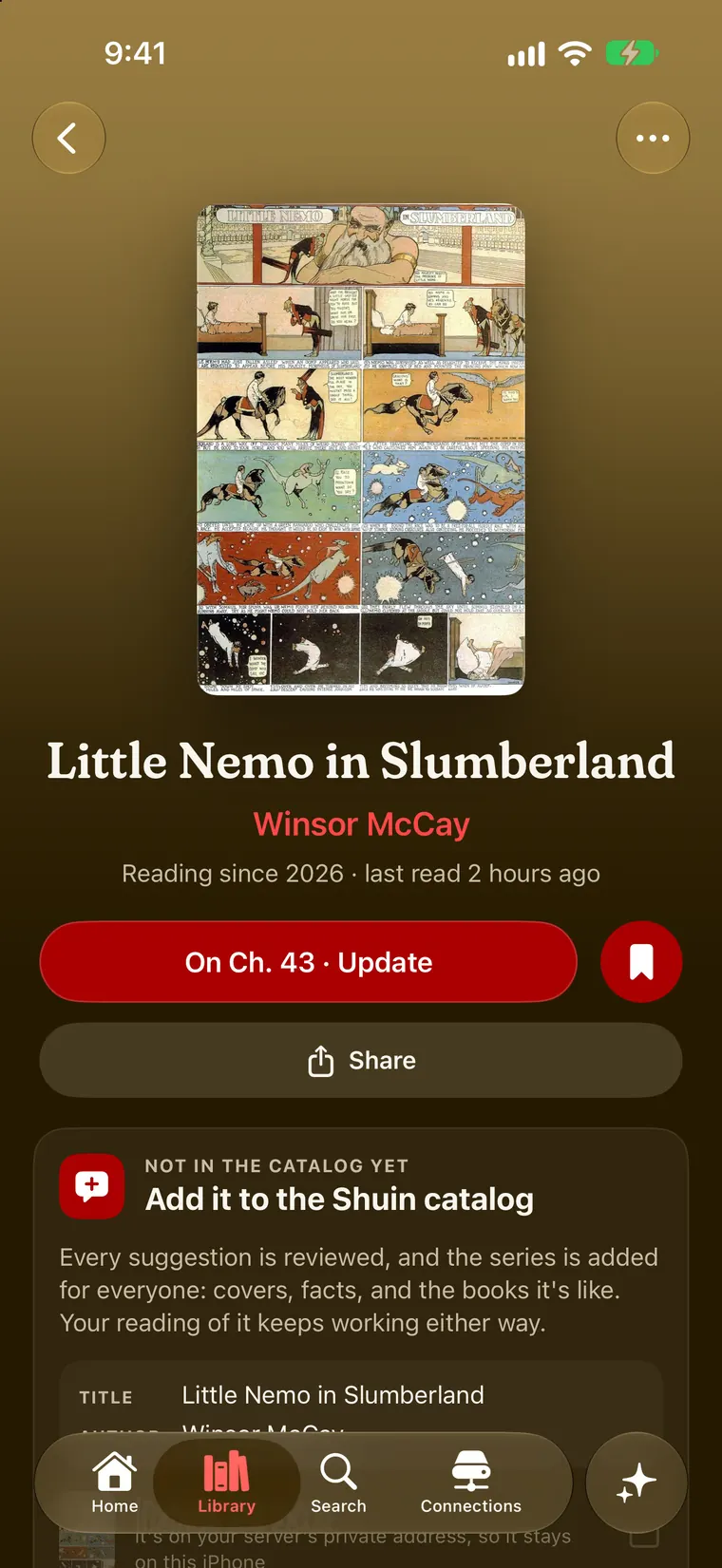
Your shelves, wherever they live
Shuin connects to the servers you already run and to the files on your iPhone, and reads them as one library. It doesn’t host or sell comics. It reads what’s yours.
Your Suwayomi server’s series and chapters, read straight from the server, with your place kept.
Manga, books and PDFs from your Kavita libraries. When you finish a volume, Kavita hears about it too.
Your Komga libraries, series by series, alongside everything else you read.
CBZ, ZIP, EPUB, PDF and folders of images from the Files app, no server needed.
An experimental companion that runs on your own computer: drop a file in a folder and it appears in your library.
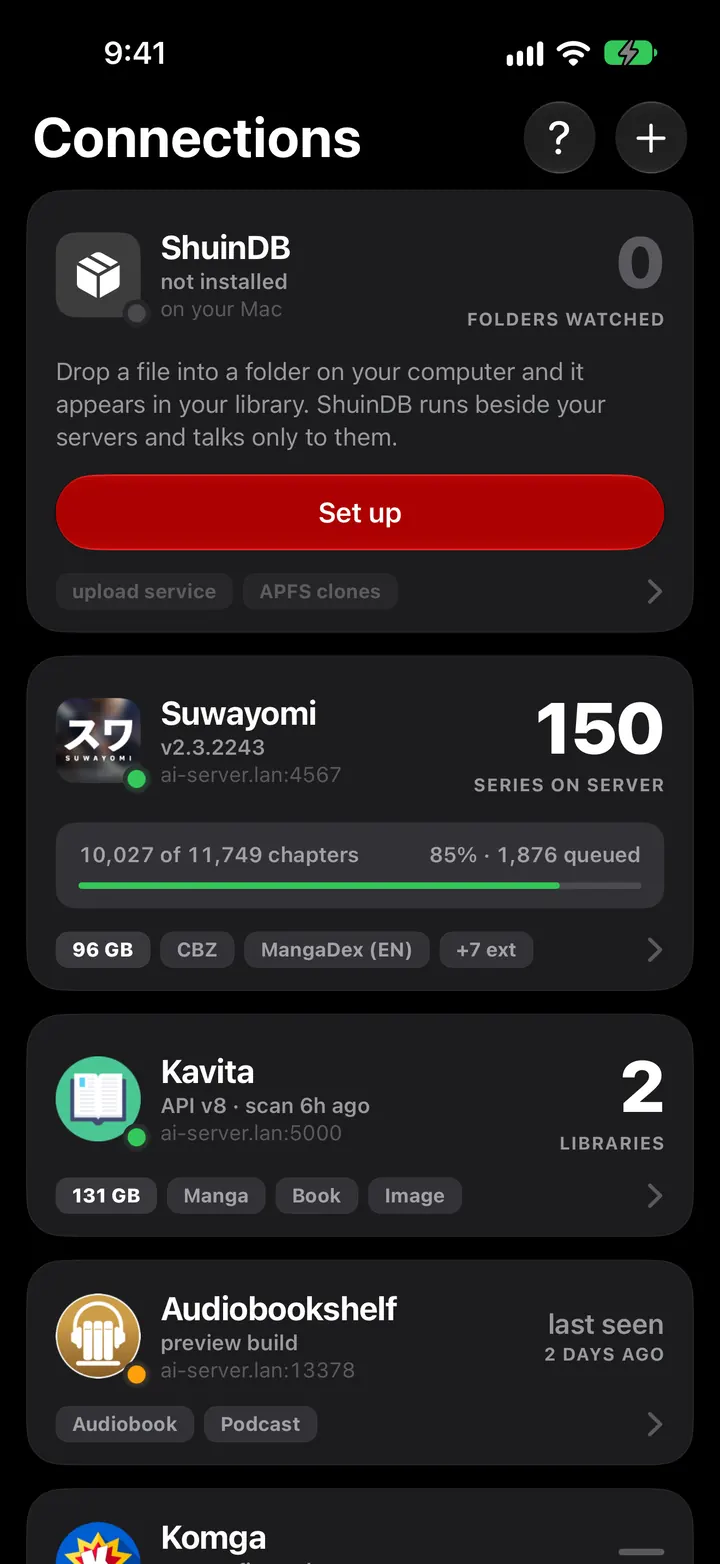
Every edition of a story
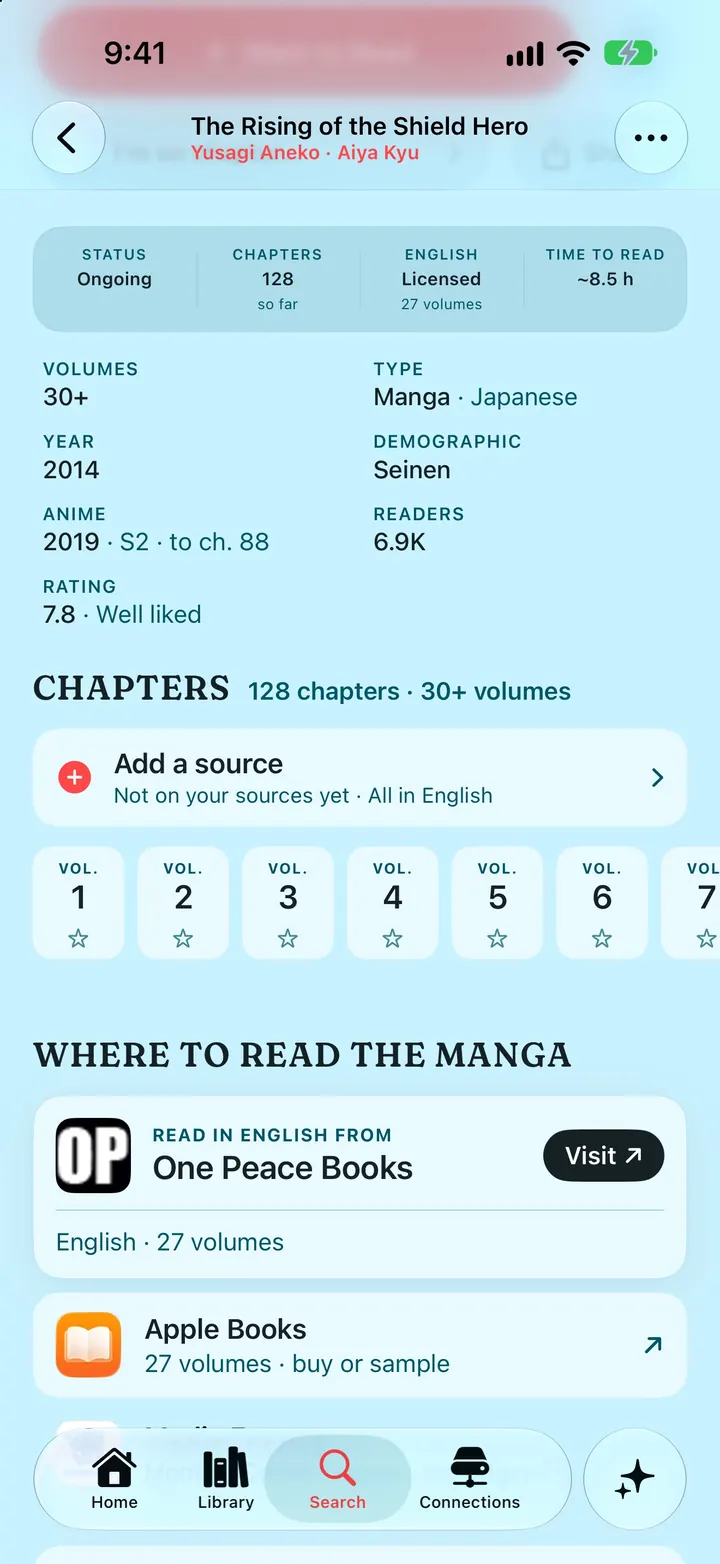
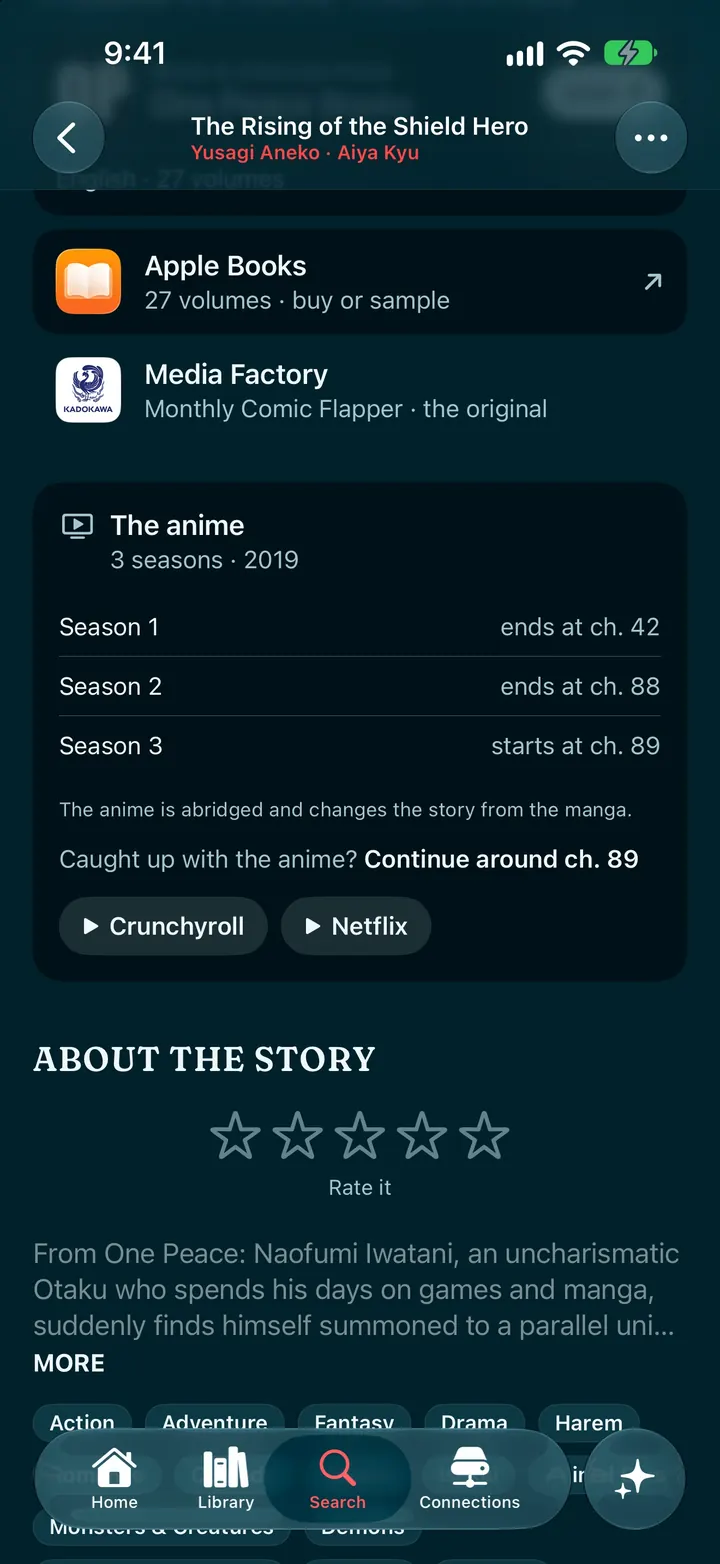
A story is rarely one book. Shuin’s catalog keeps the manga, the novel and the anime together, says where to read each one officially and where to watch the adaptation, and tells you where the anime leaves off so you know which chapter to pick up.

Pick up where you left off
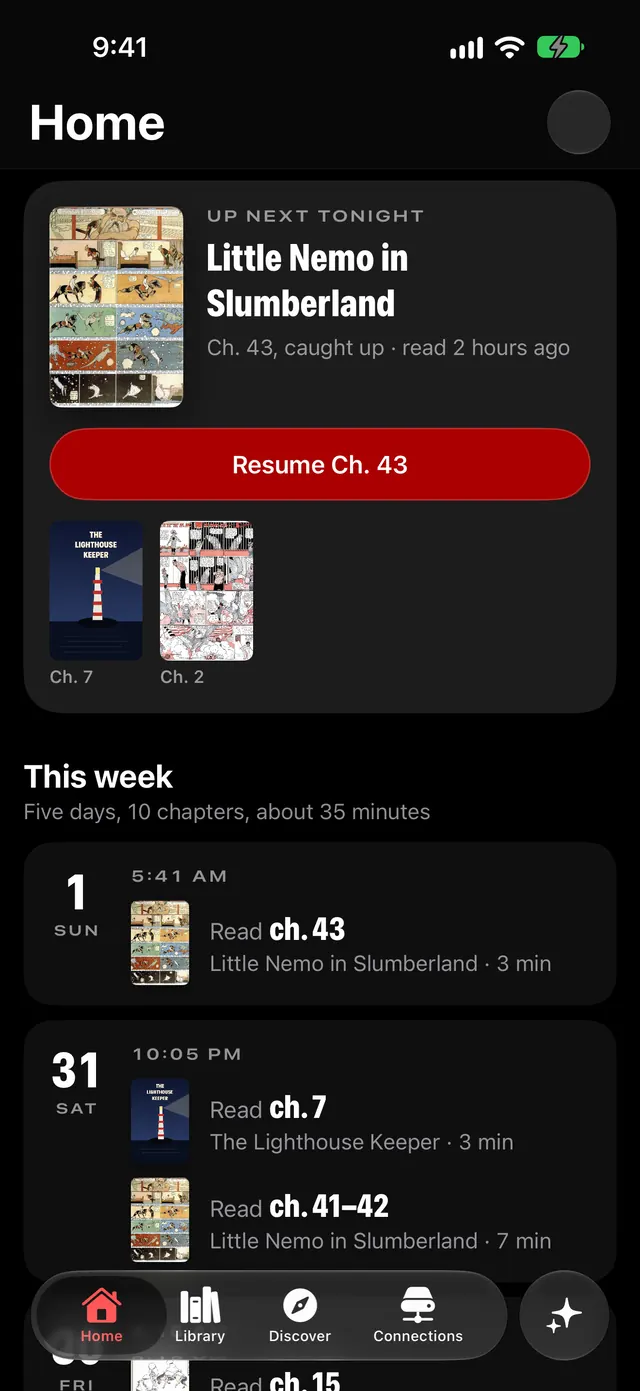
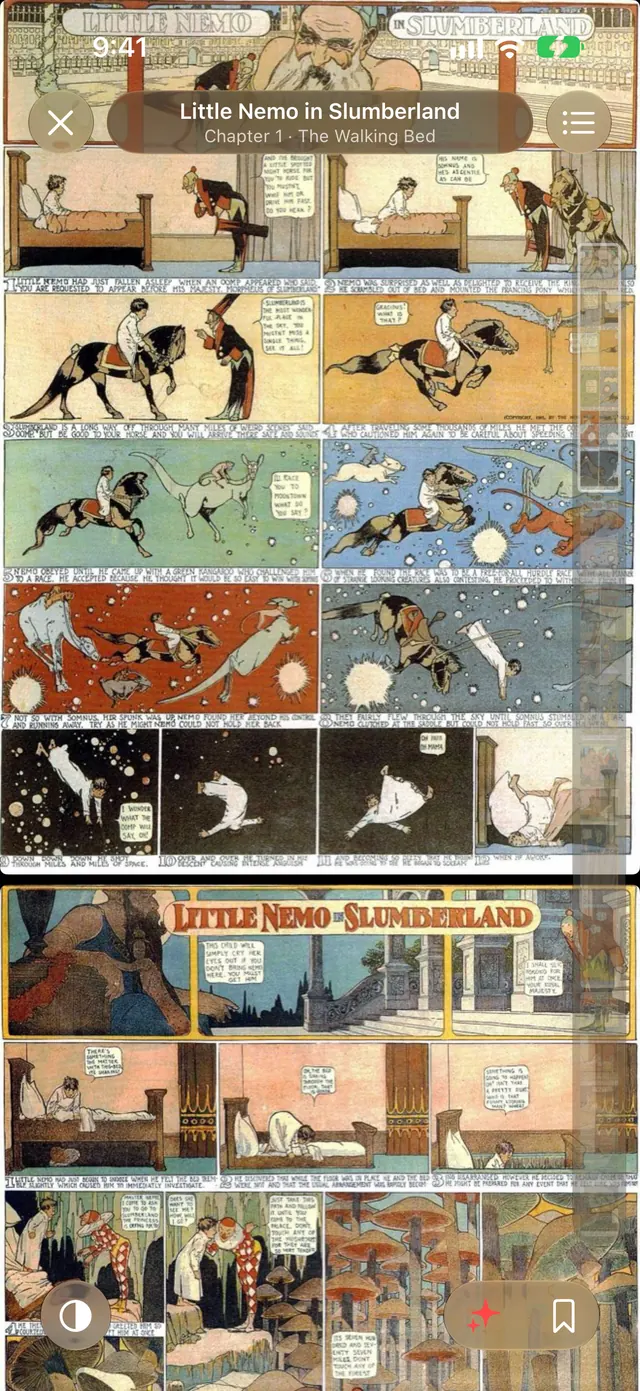
Open Shuin and tonight’s chapter is waiting, on the page you stopped at. Then the reader gets out of the way: a long vertical strip, right-to-left or left-to-right pages, and the next chapter when you pull past the last page.
Every sitting goes into your diary without you doing a thing.
Your month, narrated
At the end of each month Shuin writes your reading up as a short story: the chapters, the nights, the series that took over. Shiori, its narrator, reads it to you.
Here’s your October. Forty-one chapters, most of them after eleven at night. Frieren took the quiet hours, and Overgeared took the loud ones. On the twelfth you finally finished Vinland Saga — and then you read the last page twice.
An early sample of Shiori’s voice, 14 seconds. Her voice is still being chosen and may change.
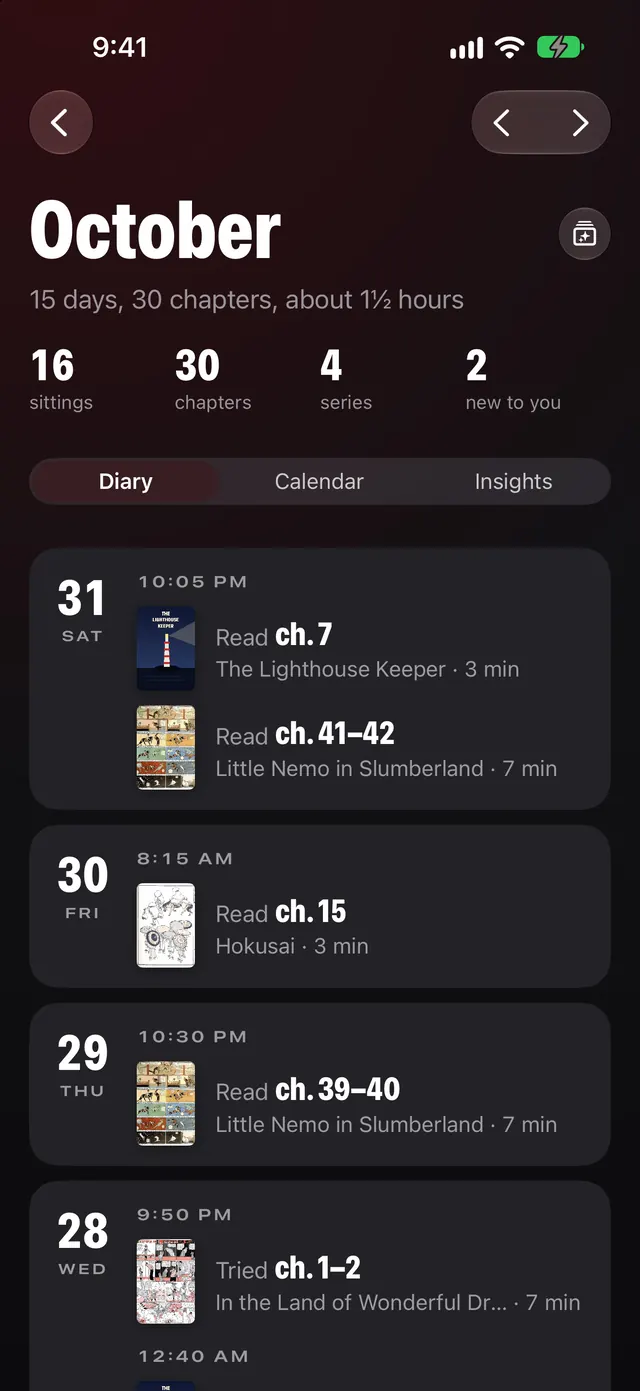
In between, History keeps the whole diary: every sitting by day, a calendar of covers, and what kind of reader you’ve been lately.

Ask, don’t search
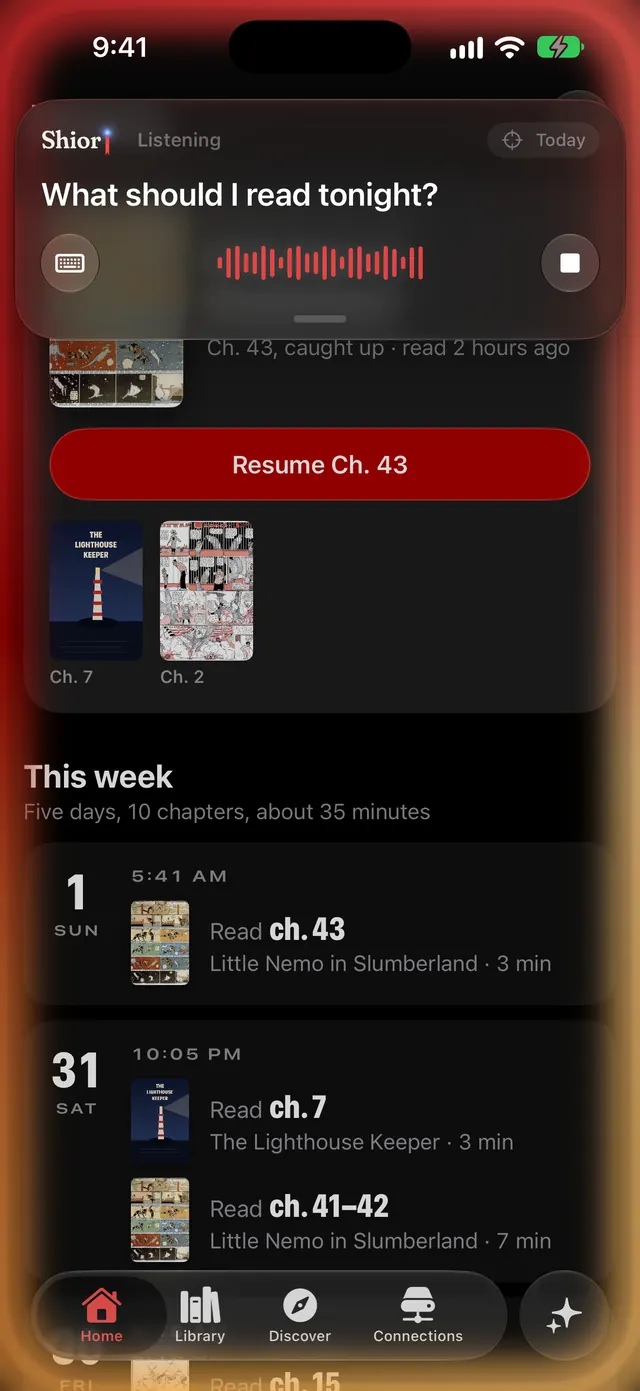
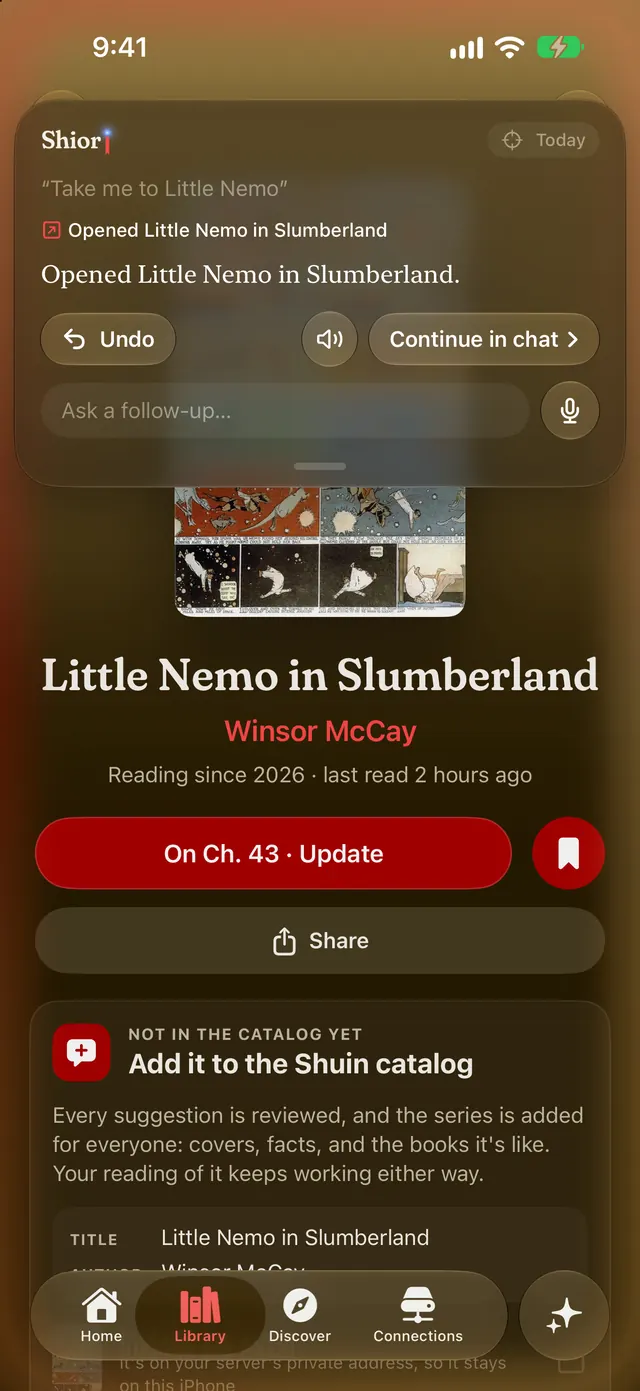
Touch and hold the ✦ in the tab bar and say what you’re after. Shiori goes there and shows you each step she took, with an Undo if it isn’t what you meant. Quick requests like these are understood on your iPhone.
- “Take me to Little Nemo.”
- “What should I read tonight?”
- “Show me what I read last week.”
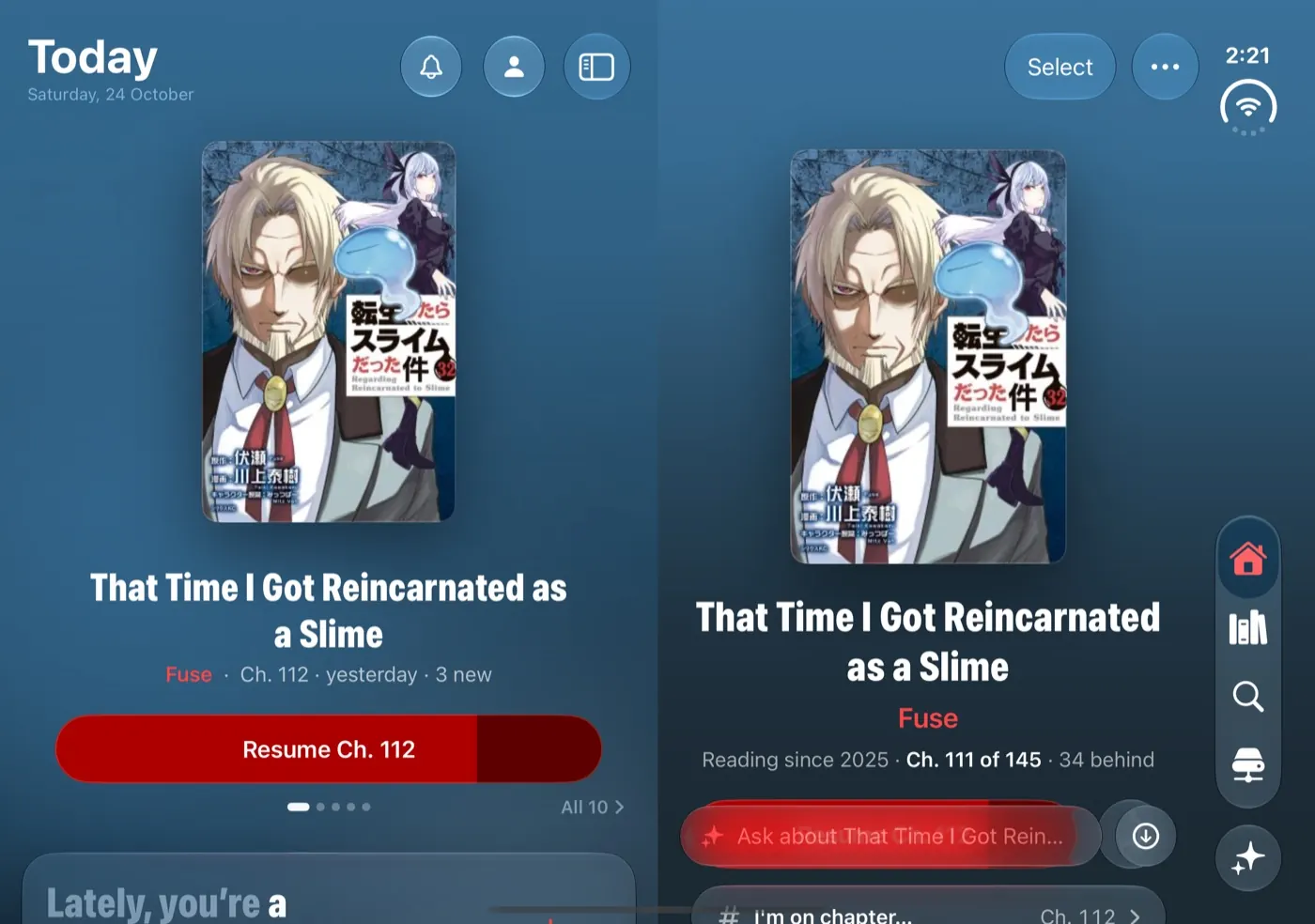
Open it up
On iPhone Duo, Shuin unfolds with the phone: Today on one side, the series you picked on the other, split cleanly at the fold.
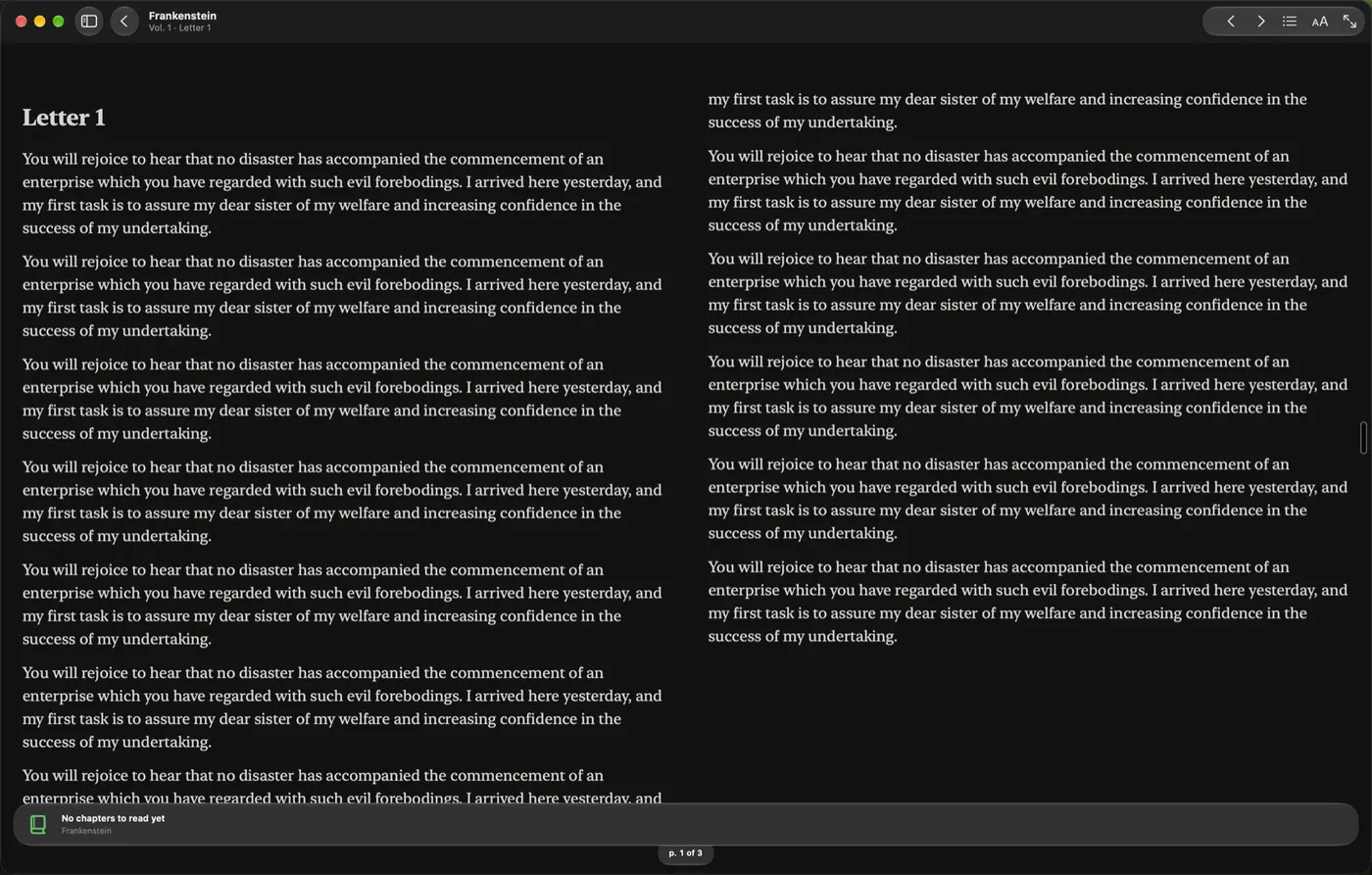
And on the Mac
A Mac app is in the works, made as a Mac app rather than a stretched phone: your library, the reader and your history on the big screen, from the same servers.
Your reading stays yours
Shuin was built so that what you read is nobody else’s business.
- On your iPhone
- Your history, library, ratings and notes live on your iPhone, and in your own iCloud if you turn on sync. We don’t have a copy.
- No account
- You don’t need one. Sign in with Apple is optional, and what Apple shares stays on the phone.
- No ads, no tracking
- No analytics, no advertising identifier, nothing that follows you across apps or websites.
- Straight to your server
- When you connect Suwayomi, Kavita or Komga, Shuin talks to it directly. We’re not in the middle.
- Worked out on the phone
- Search, “describe a series”, dictation and your insights are worked out on the device.
Read the privacy policy, which lists everything that leaves your iPhone and when.
Free to keep. Shuin+ to run the library.
Tracking, your history and reading what’s already on your servers are free, with no ads, ever. Shuin+ adds the tools for running your library from the phone.
Free
- The catalog: search, describe a series, every edition, where to read
- Your diary, history and monthly recaps
- Reading what’s on your servers and in Files
- Imports from screenshots, lists and backups
Shuin+ Coming soon
- Add series and manage your servers from the phone
- New-chapter notifications
- Shiori’s voice, reading your month to you
Pricing will be announced at launch.
Questions
What is Shuin?
A reading diary and a reader for manga, comics and novels on iPhone. It keeps track of what you read, wherever you read it, reads the books on your own servers and in your files, and has a catalog of series with every edition and where to find them officially.
Does Shuin come with manga?
No. Shuin doesn’t host, sell or link to unofficial copies of anything. You bring your own library: a server you run, files you own, or just the progress you log. The catalog points to official places to read and watch.
Do I need a server?
No. You can keep your diary for anything you read, in print or in another app, by logging the chapter you’re on, and you can import your history from screenshots, lists or a backup. Files from the Files app open without a server too.
Which servers does it work with?
Suwayomi, Kavita and Komga today, plus ShuinDB, an experimental companion that runs on your own computer.
Who is Shiori?
Shuin’s narrator and assistant. She tells your month back to you, answers when you hold the ✦, and helps you find the next thing to read. Quick requests are understood on your iPhone.
Do I need an account?
No. Shuin works fully without one. Sign in with Apple is there if you want it.
When can I get it?
Shuin is in a TestFlight beta now and coming to the App Store. Write to william@theopus.dev for an invite.
What does it run on?
iPhone, including iPhone Duo opened flat. A Mac app is in the works.
Coming to the App Store
Want in before then? Shuin is in TestFlight.
Ask for a TestFlight invite